Turn your MIDI controller into a real show instrument.
Your controller has buttons, knobs, faders and LEDs. MIMa makes them work together as an intelligent control surface for your live show.
Define how every control behaves. Choose its colours. Set up toggles, fades, flashes and exclusive buttons. Then link your controller’s LEDs to your show’s actual state, so you always know what’s happening.
Built for live shows. Designed by someone who runs them.
At checkout, use an email address you can check. Your licence key is sent there and only works with that address.
Windows · Free on screen · 30-day controller trial · All features included · One-time payment
Your controller deserves better.
Your LEDs don’t know what’s happening.
You press a button and trigger a cue. The light comes on. Great.
Then you change something using your mouse, trigger another cue, or switch to a different look. Suddenly, the LEDs on your controller no longer reflect what’s happening in your show.
MIMa fixes that. Your controller can respond to the actual state of your software, not just the last button you pressed.
Every show is a new puzzle.
Different projects need different layouts, behaviours and colours. Without a flexible mapping layer, you end up rebuilding the same functionality over and over, or trying to remember what each button does tonight.
With MIMa, you configure your controls to suit your show. Your controller becomes a consistent, familiar instrument, even when the project changes.
A button should do more than send a note.
Sometimes you need a toggle. Sometimes you need a button that stays active only while pressed. Sometimes you want a cue to fade in, a button to flash, or a group of buttons where only one can be active at a time.
MIDI controllers don’t provide all this behaviour on their own. MIMa does.
One layer. A whole new way to control your show.
MIMa sits between your MIDI controller and your show software.
Your controller sends MIDI to MIMa. MIMa handles the behaviour, state, colours, fades and feedback, then sends clean MIDI to your software through a virtual MIDI port.
Your show software still sees ordinary MIDI. It doesn’t need to know MIMa is there.
No scripting. No complicated configuration files. Just a visual editor that lets you configure your controller the way you want it to work.
And because MIMa doesn’t depend on a particular show-control application, you can use it with any software that accepts MIDI.
Make every button work your way.
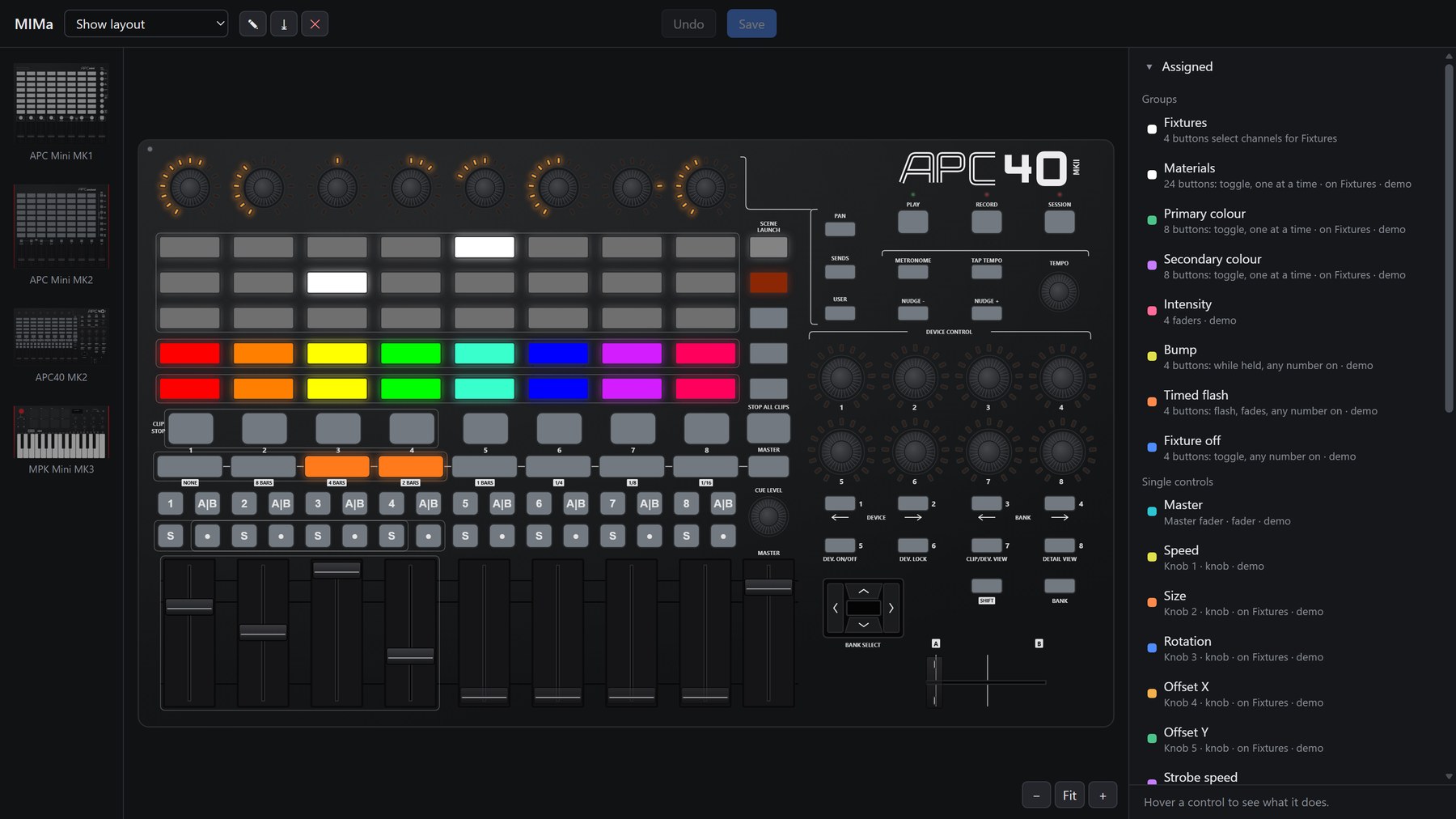
Choose the behaviour of individual controls or configure groups of buttons together.
- Toggle: Press once to activate, again to deactivate.
- Hold: Active only while the button is pressed.
- Flash: Trigger a flash or momentary action.
- Cycle: Step through a sequence of states.
- One-shot: Send a command once, without maintaining an active state.
- Exclusive selection: Activate one button and automatically deactivate the previous one. Perfect for cues, masks and looks.
- Fades: Fade in or out over a defined duration, with the button’s LED following the transition.
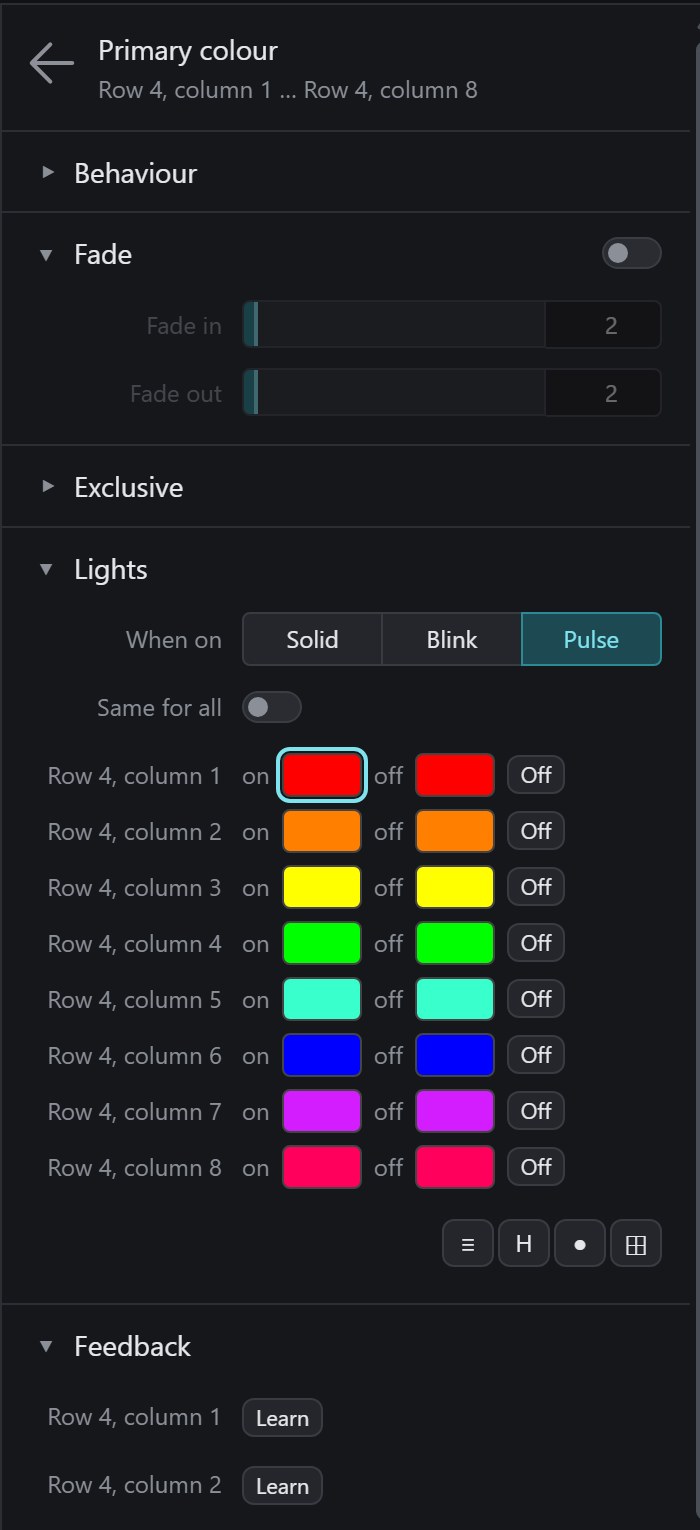
- Custom colours: Choose colours for active and inactive states, with solid, blinking and pulsing options.
Want a button that builds up a look while you hold it, then drops on the beat when you release it? Configure the behaviour once and let MIMa handle the details.
Your controller becomes an extension of your workflow, rather than a collection of buttons you have to work around.
Your LEDs should tell the truth.
This is where MIMa really comes into its own.
Link a physical control to something in your show software using Learn. MIMa then uses the software’s feedback to keep the controller’s LEDs in sync with the real state of the show.
Change a value using your mouse? The controller follows.
Trigger a cue somewhere else? The controller follows.
Adjust a knob or fader in your software? The controller can reflect that too.
Your hardware and software stay connected, even when you interact with them in different ways.
Feedback that works with your software.
- Automatic initial synchronisation: MIMa requests current values when it connects, so linked controls start with the correct state.
- OSCQuery support: Connect to compatible software, including MadMapper, without complicated manual setup.
- OSC and MIDI feedback: MIMa can also receive plain OSC and MIDI messages.
- Focused communication: Outside Learn mode, MIMa only follows the feedback you’ve linked to your controls.
No more guessing which cue is active. No more LEDs left behind by a change you made on screen.
Just a controller that reflects what’s really happening.
One controller. Every fixture group.
When you’re working with multiple fixture groups, you shouldn’t need a completely separate controller layout for each one.
MIMa lets you use channel selection to turn a single grid of buttons, knobs and faders into a flexible interface for your entire rig.
Select your PARs and choose a colour. Select your LED wall and choose another. Select both and trigger a look.
The same controls work with whichever fixture groups you’ve selected.
Designed for real lighting workflows.
- Channel selection: Selector buttons determine which MIDI channels the grid, knobs and faders control.
- Independent state: Each channel remembers its own settings.
- Mixed-state feedback: When selected groups have different values, buttons can pulse to indicate the difference, while encoder rings can show the range between the lowest and highest values.
- Smooth fader pickup: Change your selection without suddenly jumping to a new value. Faders pick up their targets naturally.
Your controller becomes a compact, adaptable lighting desk, without needing a dedicated hardware surface for every part of your rig.
Built for the realities of live shows.
MIMa isn’t just about what happens when everything works perfectly. It’s designed for the situations that happen during an actual performance.
Virtual MIDI ports, built in.
On Windows 11 version 24H2 or newer, MIMa can create its own virtual MIDI ports without requiring a third-party driver.
Already using loopMIDI? MIMa supports that too.
Work without the hardware.
Don’t have your controller connected? No problem.
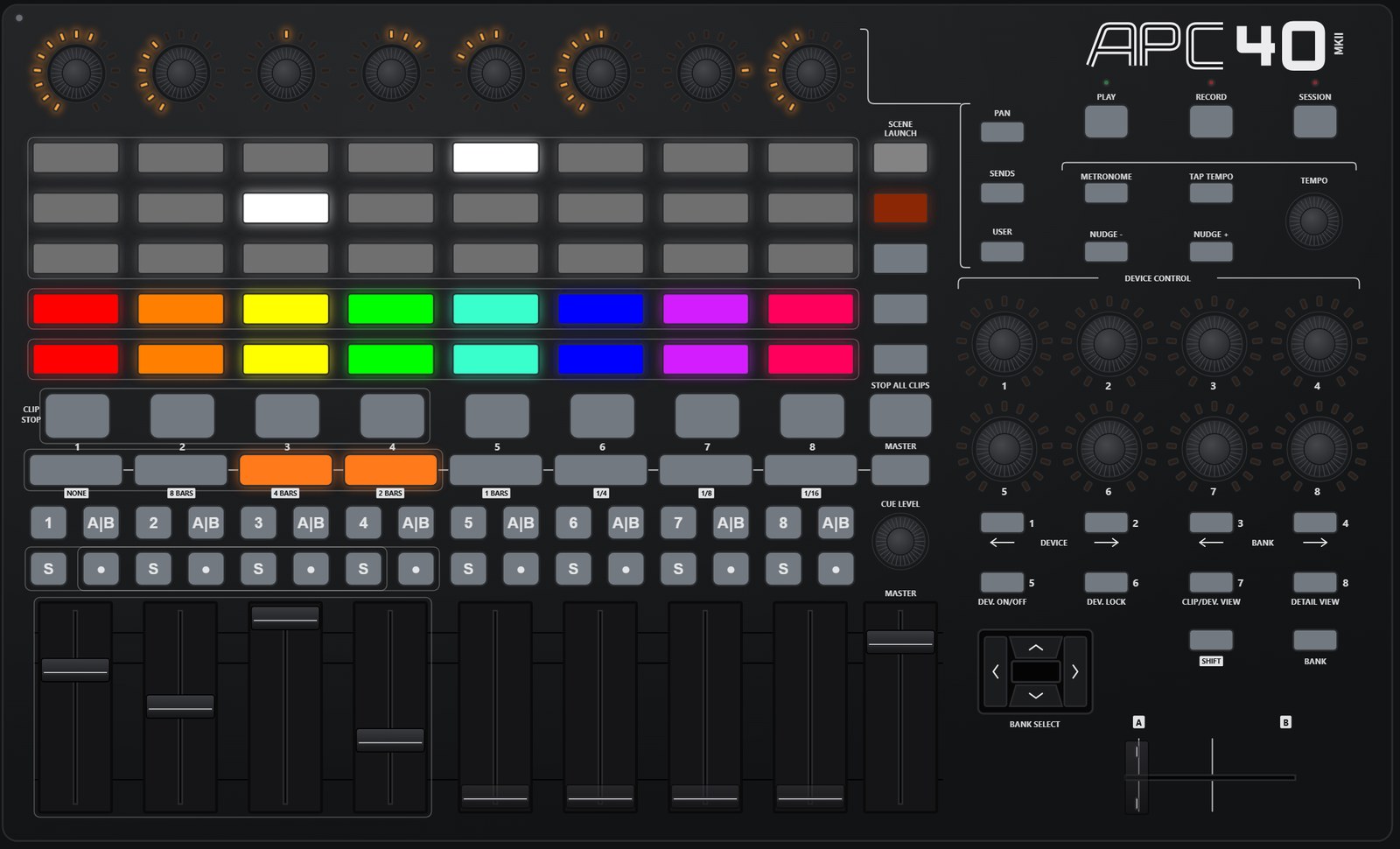
MIMa’s on-screen controller mirrors the physical device, letting you prepare configurations, test your setup and trigger controls directly from your computer.
You can build your show at your desk or on the couch, then connect the hardware when you’re ready. On screen, MIMa is free. You only need a licence to connect a controller.
Recover when things go wrong.
Unplug your controller during a show and reconnect it. MIMa is designed to pick up where it left off.
It can also live in the Windows system tray and start automatically with Windows, so your control environment is ready when you need it.
Get from controller to show-ready in three steps.
- 1
Connect.
Plug in your MIDI controller. MIMa displays an on-screen representation that matches the physical device, giving you a visual workspace for your controls.
- 2
Configure.
Right-click a control to choose its behaviour, colours and other settings. Changes take effect as you make them, so you can see how your configuration works straight away.
- 3
Connect your show software.
Let your show software learn MIMa’s MIDI output just as it would from any other MIDI device.
Then use Learn in MIMa to link your controller’s feedback to the parameters and states in your software.
That’s it. Your controller is ready to work the way you want it to.
Designed for your existing setup.
Supported MIDI controllers
- Akai APC40 MK2
- Akai APC Mini MK2
- Akai APC Mini
- Akai MPK Mini MK3
MIMa is designed around supported controller layouts, with an on-screen representation of the hardware.
Compatible show software
MIMa works with applications that accept MIDI input. It’s built and used with MadMapper, and its application-independent design means it can work with other MIDI-compatible software too.
With OSCQuery, OSC and MIDI feedback support, you can also connect software that can communicate through these protocols.
Multiple controllers? Make them one instrument.
Have more than one controller in your setup?
Bring them into the same workspace. MIMa lets you combine multiple controllers into a unified control surface for your show.
Your controller. Your workflow. Your show.
MIMa turns a general-purpose MIDI controller into something much more useful: a configurable show-control instrument with intelligent behaviour and feedback that keeps up with your software.
Whether you’re building a lighting rig, controlling visual effects or managing cues in a live performance, MIMa gives you more control over how your hardware behaves.
Ready to try it with your setup?
MIMa is free to use on screen, with every feature. Connect a controller and you get a 30-day trial, with everything included. No stripped-down version. No need to commit before you know whether it works for you.
One-time payment of €49, tax included. No subscription. Your key is emailed to you as soon as you’ve paid, and you have 30 days to change your mind.
At checkout, use an email address you can check. Your licence key is sent there and only works with that address.
Orders are handled by Paddle, our Merchant of Record. Terms · Refunds · Privacy
MIMa — MIDI MAPPER
Pure light that dances with you and the music.
Beatline · Auckland, New Zealand